
fjord
FreeBSD Jail Orchestration Runtime Descriptor
An open, vendor-neutral standard and native compose platform for FreeBSD. Deploy OCI container stacks directly as native jails with Podman or AppJail—zero VM overhead, zero proprietary appliance lock-in.
Up and running in a minute
Install sysutils/fjord from FreeBSD packages to automatically pull in fjordd, its rc service script, and both container engines (Podman and AppJail).
fetch https://github.com/daemonless/fjord/releases/latest/download/fjordd-freebsd-$(uname -m)
fetch https://github.com/daemonless/fjord/releases/latest/download/fjordd.rc
install -m 755 fjordd-freebsd-* /usr/local/sbin/fjordd
install -m 755 fjordd.rc /usr/local/etc/rc.d/fjordd

sysrc fjordd_enable=YES
service fjordd start    # then open http://<host>:3567
cd /usr/ports/sysutils/fjord && make install clean

sysrc fjordd_enable=YES
service fjordd start    # then open http://<host>:3567
make config picks the engines. Installing them from packages first means make only builds fjord.
pkg install -y git go npm
git clone https://github.com/daemonless/fjord && cd fjord
(cd ui && npm ci && npm run build) && go build -o fjordd ./cmd/fjordd
install -m 755 fjordd /usr/local/sbin/fjordd
install -m 755 packaging/fjordd.rc /usr/local/etc/rc.d/fjordd

sysrc fjordd_enable=YES
service fjordd start    # then open http://<host>:3567
A Horizontal Standard, Not a Vertical Appliance
Linux homelab ecosystems achieved "one-click" app stores by building vertical silos—appliances like CasaOS and TrueNAS SCALE deliver convenience by locking the user into a proprietary operating system, a captive UI, and an opinionated orchestrator.
FreeBSD already possesses superior kernel primitives for container isolation and storage: Jails, ZFS datasets, VNET, and devfs rulesets. FreeBSD does not need a proprietary vertical appliance. It needs an open, horizontal standard.
Pure Compose + Declarative Host Hints
FJORD extends standard compose.yaml files with a reserved x-fjord block. Upstream definitions remain 100% valid on Linux/Docker, while compliant FreeBSD tools automatically provision ZFS datasets, map UID/GID permissions, and configure jail parameters.
services:
  plex:
    image: ghcr.io/daemonless/plex:latest # (1)
    ports:
      - "${WEB_PORT}:32400" # (2)
    volumes:
      - ${CONFIG_DATA}:/config # (3)
      - ${MEDIA_PATH}:/media:ro
    annotations:
      org.freebsd.jail.param.allow.raw_sockets: "1" # (4)

# Declarative FreeBSD host provisioning & UI wizard schema
x-fjord:
  version: "1.0"
  info:
    name: "Plex Media Server"
    category: "Media"
    class: "service"
  host:
    vnet_required: true # (5)
    devfs_rules:
      - "add path 'drm/*' unhide" # (6)
  variables:
    - name: CONFIG_DATA
      label: "Config storage dataset"
      type: zfs_dataset # (7)
      zfs_properties:
        recordsize: "16K"
        compression: "lz4"
      host_permissions:
        uid: 972
        gid: 972
        mode: "755"
- FreeBSD-Native Image: Runs directly on the FreeBSD kernel without Linux emulation or virtual machines.
- Typed Port Binding: Configured via the deployment wizard with automated host conflict detection.
- App Data Folder: A folder under the stack's App Data, created before launch.
- Kernel Jail Parameter: Standard OCI annotation translated directly into jail parameters by
ocijail. - VNET Stack: Asks for a jail with its own network stack. Part of the spec; fjord does not act on it yet.
- Hardware Passthrough: A devfs rule for GPU transcoding (
/dev/drm/*). Part of the spec; fjord does not act on it yet. - Storage Automation: fjord creates the folder and gives it to the app's UID/GID before launch. ZFS datasets with these properties are on the roadmap.
How fjord Orchestrates Jails
fjord translates standard container declarations into native FreeBSD jails without proprietary state locks or runtime virtualization.
Curated OCI Images
Browse FreeBSD-native container images from the daemonless image fleet or private catalogs. Apps not built for your CPU architecture are filtered out; each manifest carries the app's ports, volumes and permissions.
Filesystem Ground Truth
Every stack generates standard compose.yaml and .env files on disk in /var/db/fjord/stacks/. Edit specs directly in the built-in CodeMirror editor or via your shell with vi—the CLI and UI always remain synchronized.
Native Jail Execution
Deploy workloads through podman-compose (with ocijail) or appjail-director. Pre-flight checks verify port availability and create missing data folders before launch; the System page audits sockets, tools and pf anchors.
Key Capabilities
Engineered specifically for FreeBSD systems administrators and homelab infrastructure.
-
Native Jail Containment
Zero Linux VM overhead. Workloads execute directly on the FreeBSD kernel with native ZFS dataset performance, resource isolation, and standard FreeBSD networking.
-
Engine-Agnostic Architecture
Platform and engine agnostic by design. fjord currently supports Podman (with
ocijail) and native FreeBSD jails managed byappjail-director—both coexisting smoothly on the same host, selectable per stack. -
Filesystem-First Source of Truth
No hidden databases or opaque state files. Every stack is a plain directory containing
compose.yamland.env. Runpodman-composeorappjail-directorfrom the command line with identical behavior. -
Automated Host Diagnostics
Readiness checks cover the libpod socket, pf anchors (
cni-rdr/appjail-nat), container init tools and the data root, each with a copy-paste fix; pre-flight catches port conflicts before deployment. -
Structured Storage & Folder Sets
Enforce clean separation between persistent application configuration and shared media pools. Define local paths, NFS exports, or SMB shares once as Folder Sets and attach them across any stack.
-
Adopt What's Already Running
Containers and jails started by hand or by a playbook become stacks with one click. fjord reads a podman container's original run command into
compose.yaml, or an appjail jail back into a director bundle; the same image, mounts, network address and name come back under management. No data moves. -
Single Self-Contained Binary
fjorddis a lightweight Go binary embedding its Svelte SPA frontend. Zero background Python runtimes, Node daemons, or heavy dependencies required.
Already running containers? Adopt them.
A host built with podman run lines, appjail quick, an Ansible playbook, or a shell script does not have to start over. fjord lists every container and jail no stack owns, shows the stack it would write, and replaces it in place.
podman run -d --name radarr --network vlan5 --ip 192.168.5.13 --mac-address 0e:05:00:00:00:0d \
  -e PUID=1000 -e PGID=1000 -e TZ=America/New_York \
  -v /containers/radarr:/config -v /nas/media:/media \
  --annotation org.freebsd.jail.allow.mlock=true ghcr.io/daemonless/radarr:latest
becomes
services:
  radarr:
    image: ghcr.io/daemonless/radarr:latest
    container_name: radarr
    restart: always
    mac_address: 0e:05:00:00:00:0d
    environment:
      - PUID=${PUID}
      - PGID=${PGID}
      - TZ=${TZ}
    volumes:
      - "/containers/radarr:/config"
      - "/nas/media:/media"
    annotations:
      org.freebsd.jail.allow.mlock: "true"
    networks:
      vlan5:
        ipv4_address: 192.168.5.13

networks:
  vlan5:
    external: true
On the AppJail engine the same happens for a jail: its image, virtual network and address, exposes, mounts, environment and jail parameters are read back into an appjail-director.yml, Makejail and template.conf, the same files a catalog install produces. The setup wizard offers this on first run, the Stacks page offers it whenever unmanaged containers or jails exist, and Adopt & replace all converts a whole host in one pass. Each stack keeps its name, so DHCP reservations, DNS and bookmarks keep working.
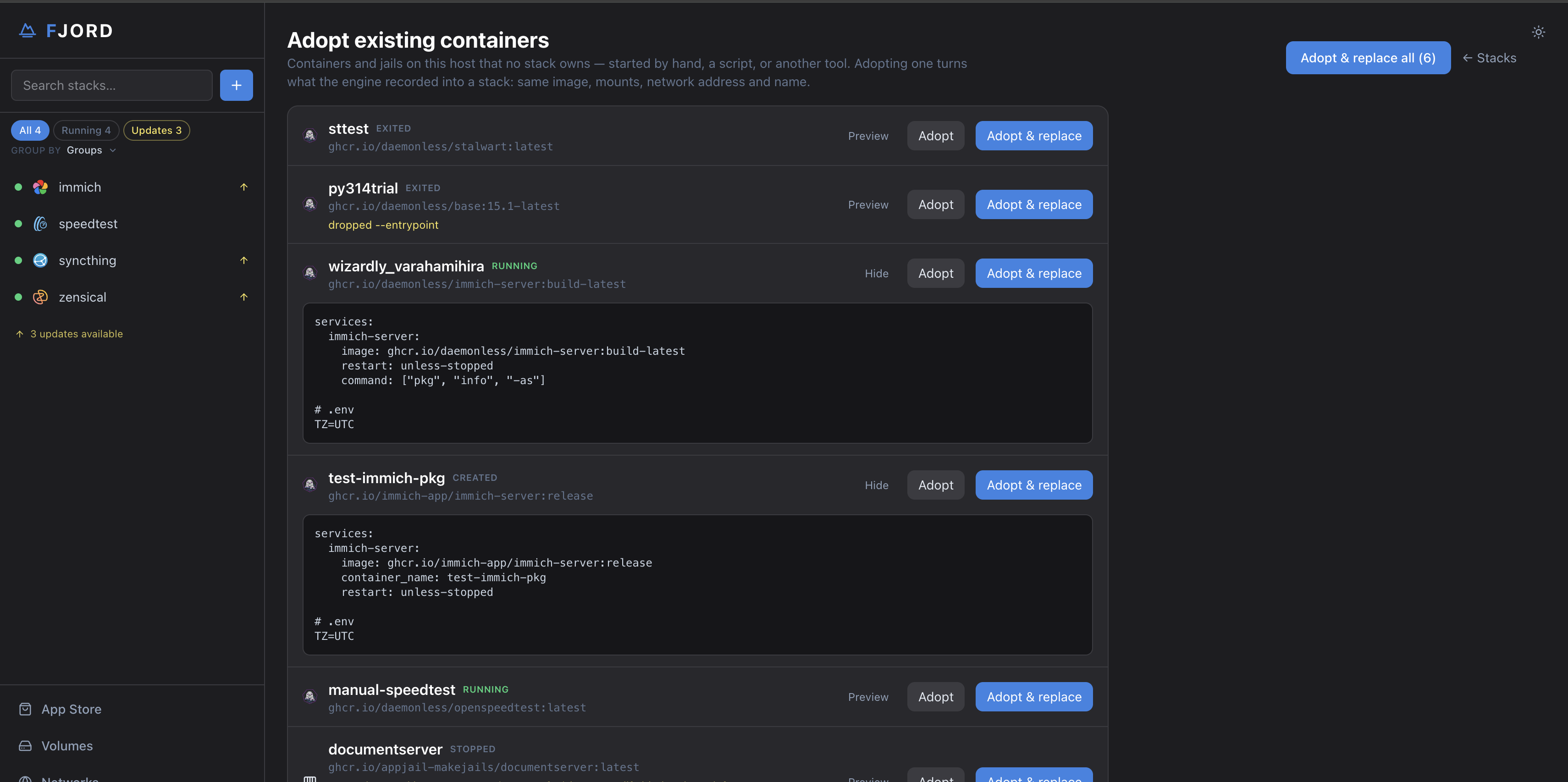
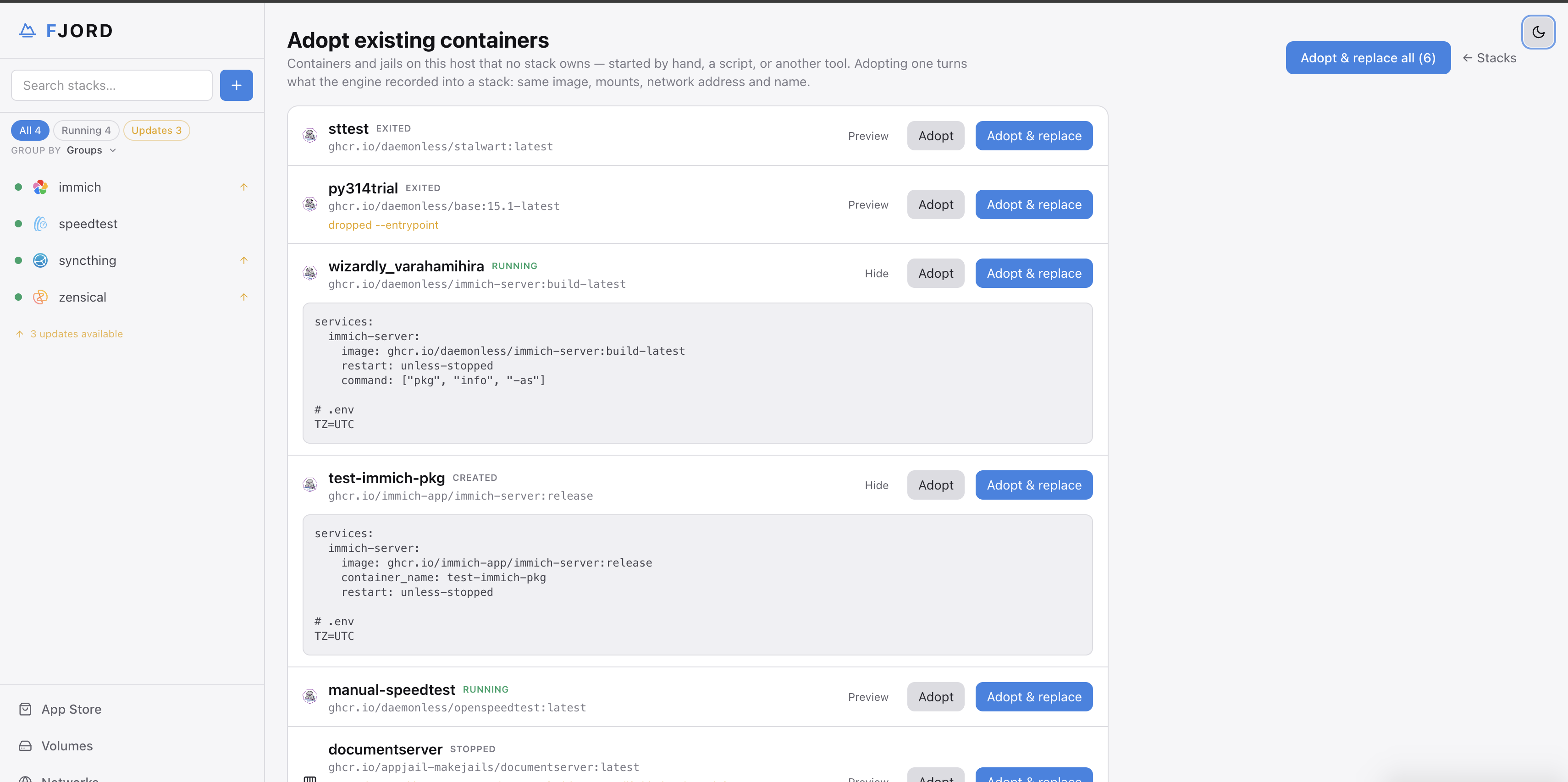
Interface & Diagnostics
Inspect runtime state, edit compose specifications directly on disk, and proactively audit host kernel, socket, and network readiness.
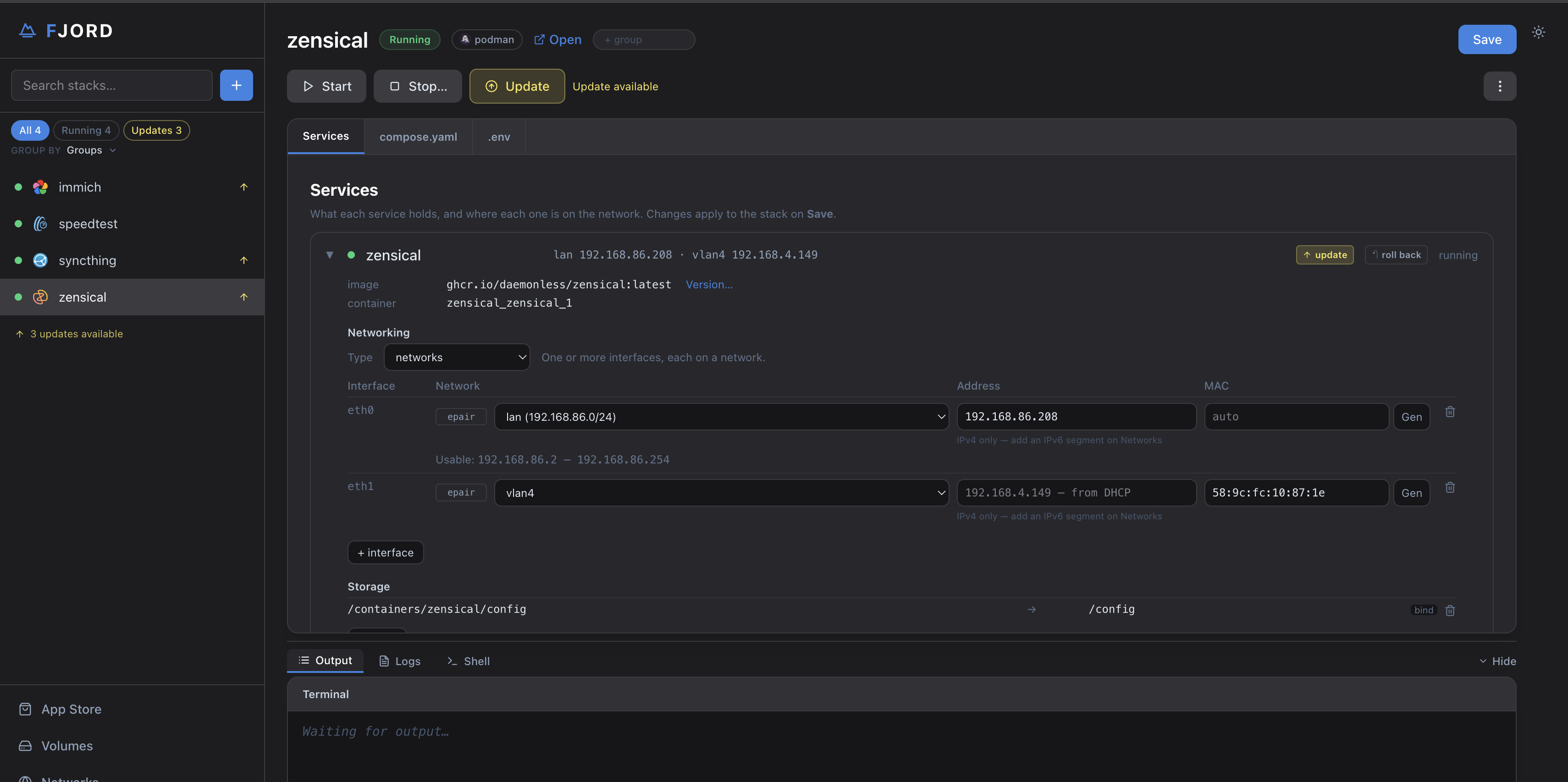
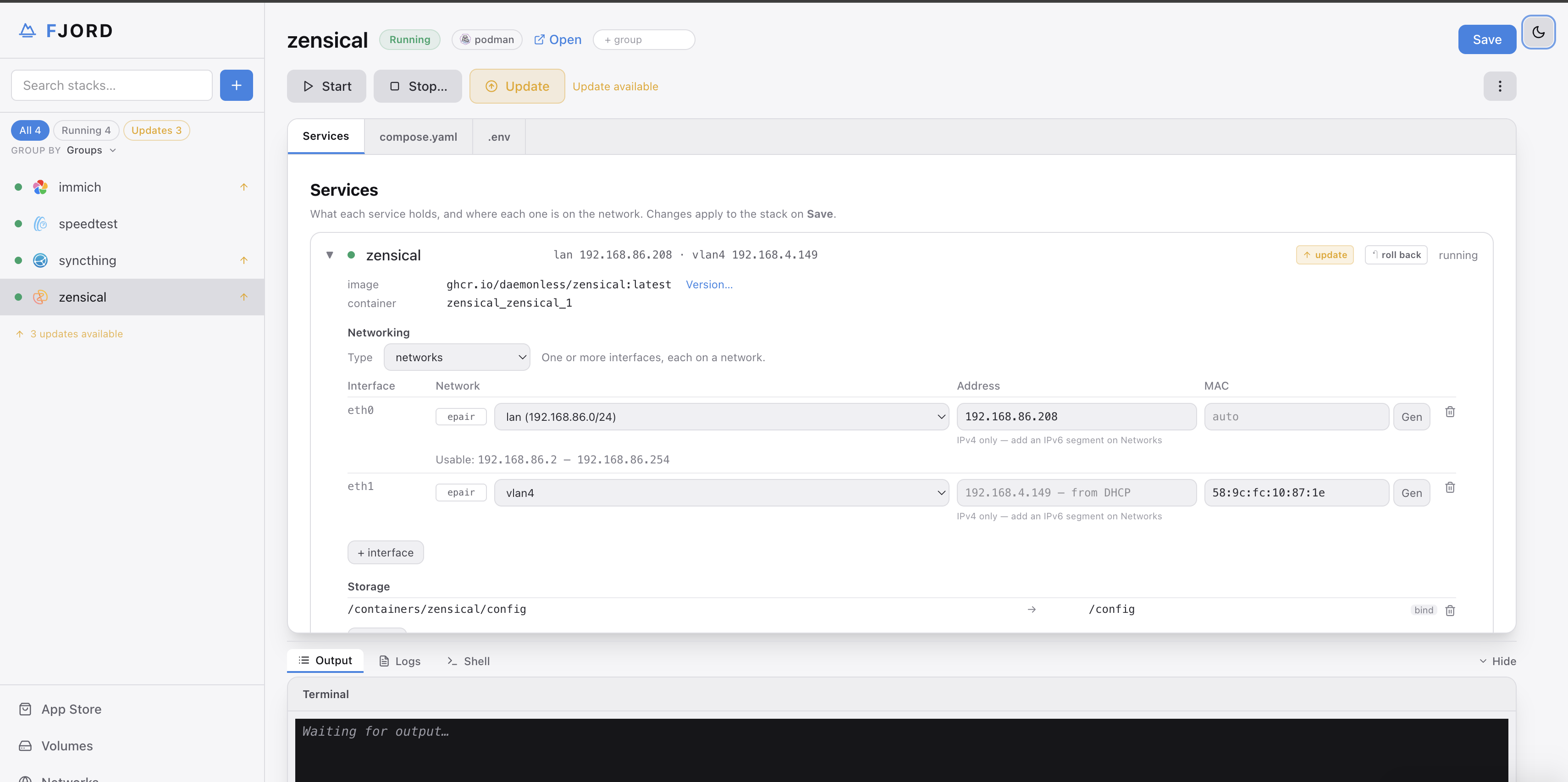
Filesystem-Backed Editor
Integrated CodeMirror editor with syntax highlighting for compose.yaml, Makejail, and .env. Edits save straight to disk; Apply reconciles the running stack.
In-Browser Container Shell
Instant terminal sessions connected directly into running jail workloads via WebSocket. Run diagnostics, inspect mount permissions, and verify jail processes.
Real-Time Output Drawer
Live standard output and error from podman-compose up and appjail-director up, streamed as they run.
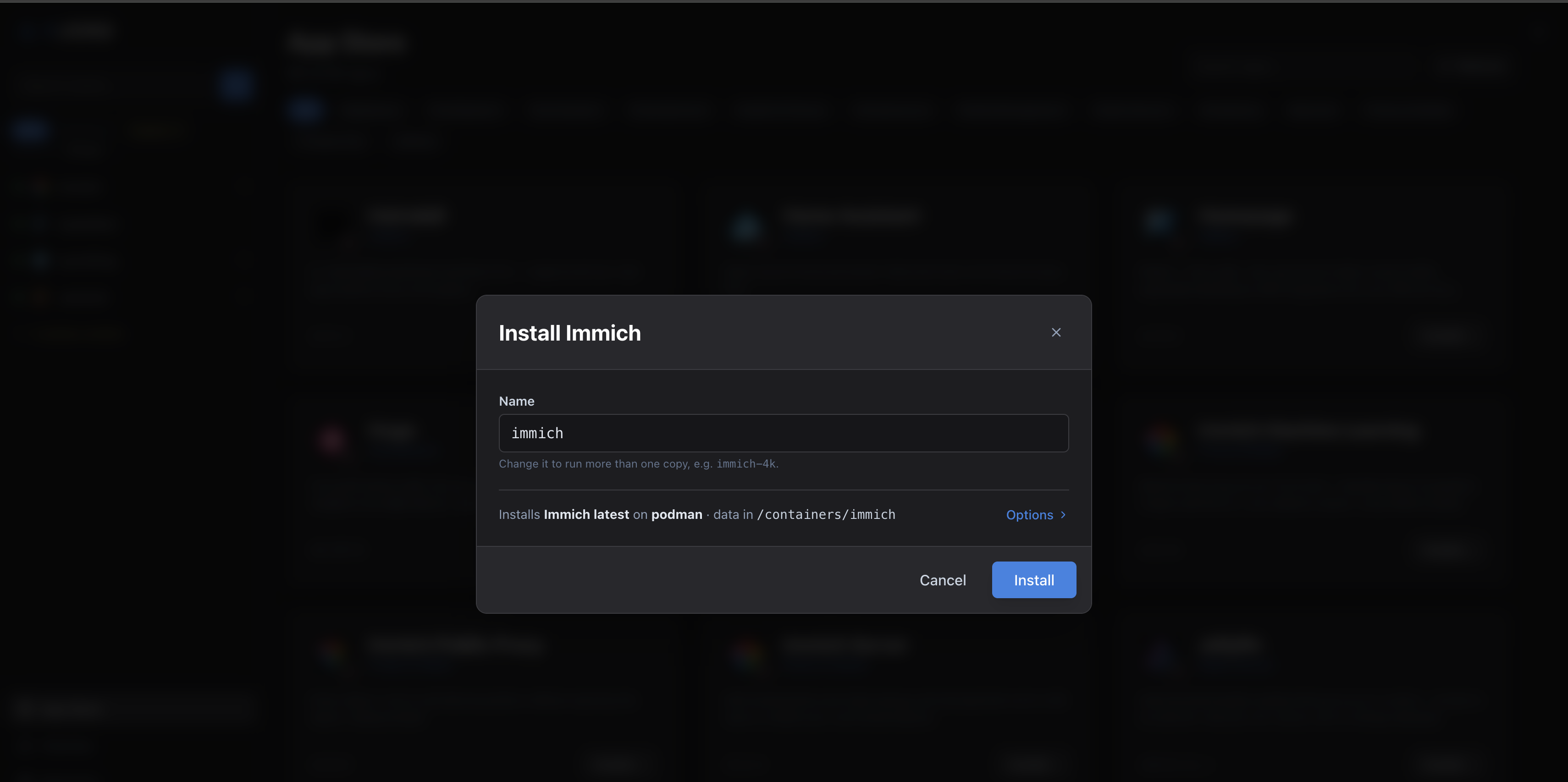
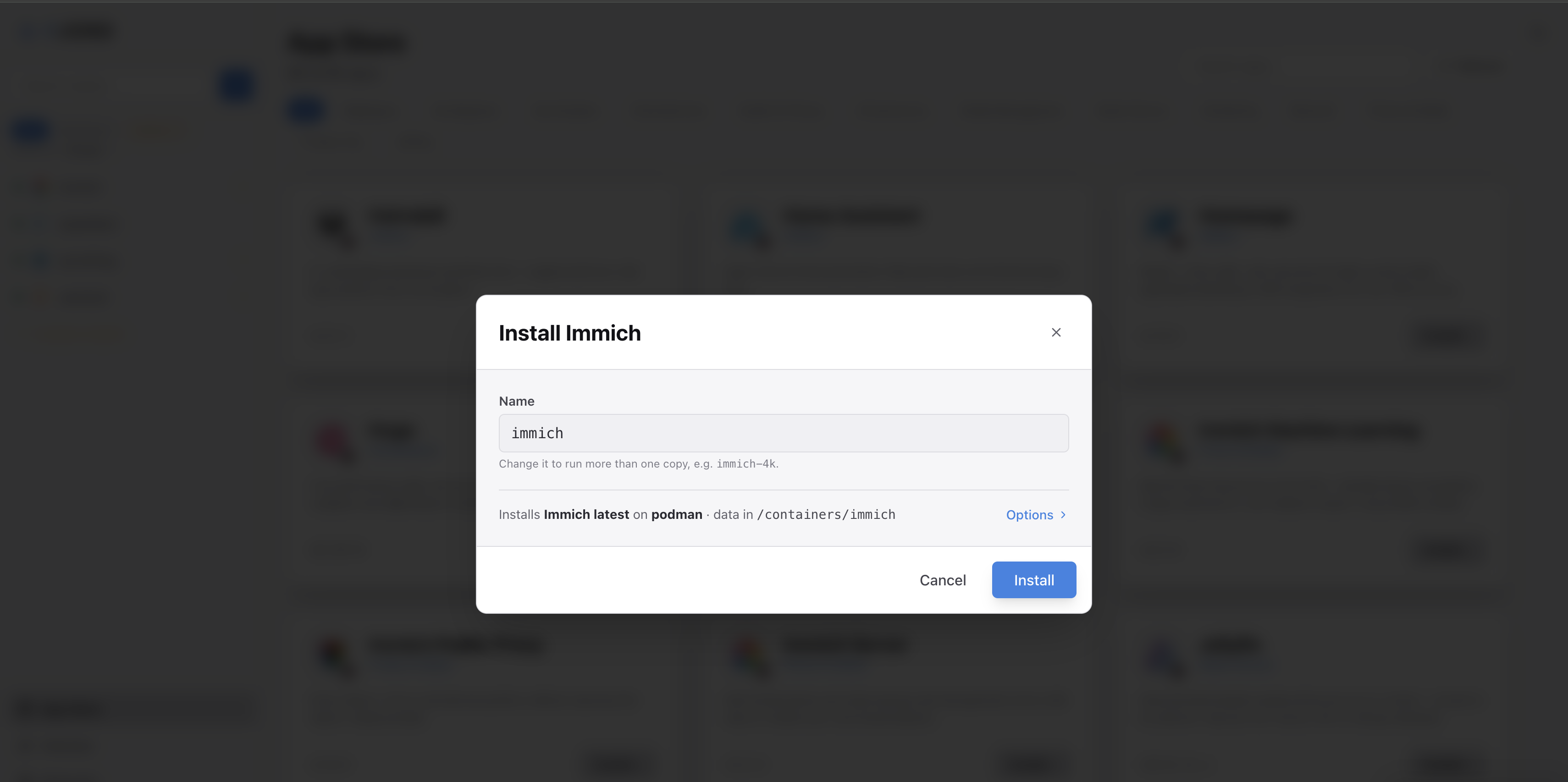
Automated Port Pre-Flights
Probes every published port — and the EXPOSE ports of host-network sidecars — before anything starts, naming the container that holds one, so a taken port is a clear message instead of a crash loop.
One-Click Folder Sets
Attach pre-configured local paths or NFS/SMB endpoints (e.g. Media, Downloads, Photos) with a single dropdown selection.
Release Channel Control
Switch between upstream application releases (latest), FreeBSD Quarterly (pkg), and FreeBSD Latest (pkg-latest) with tag or digest pinning.
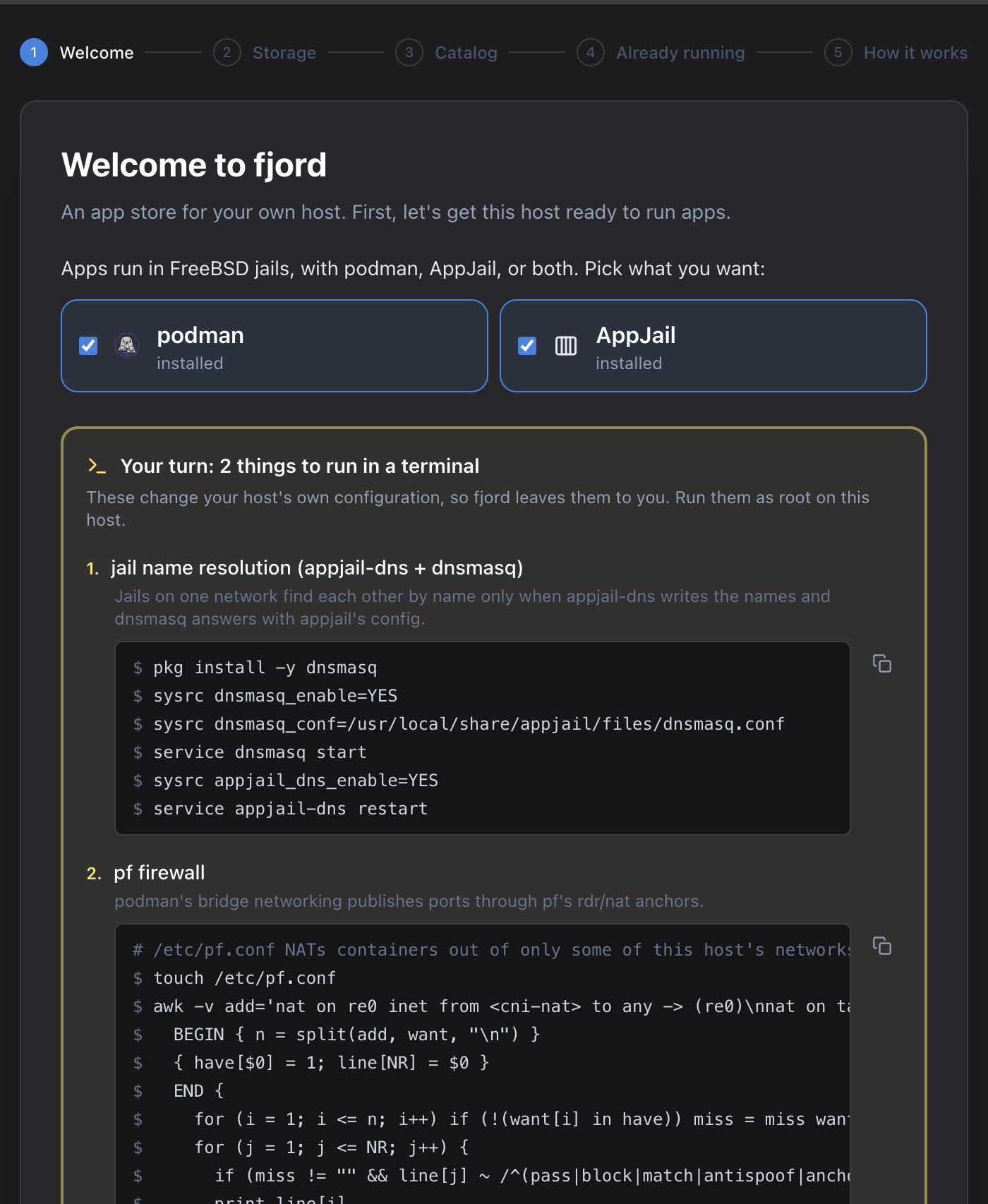
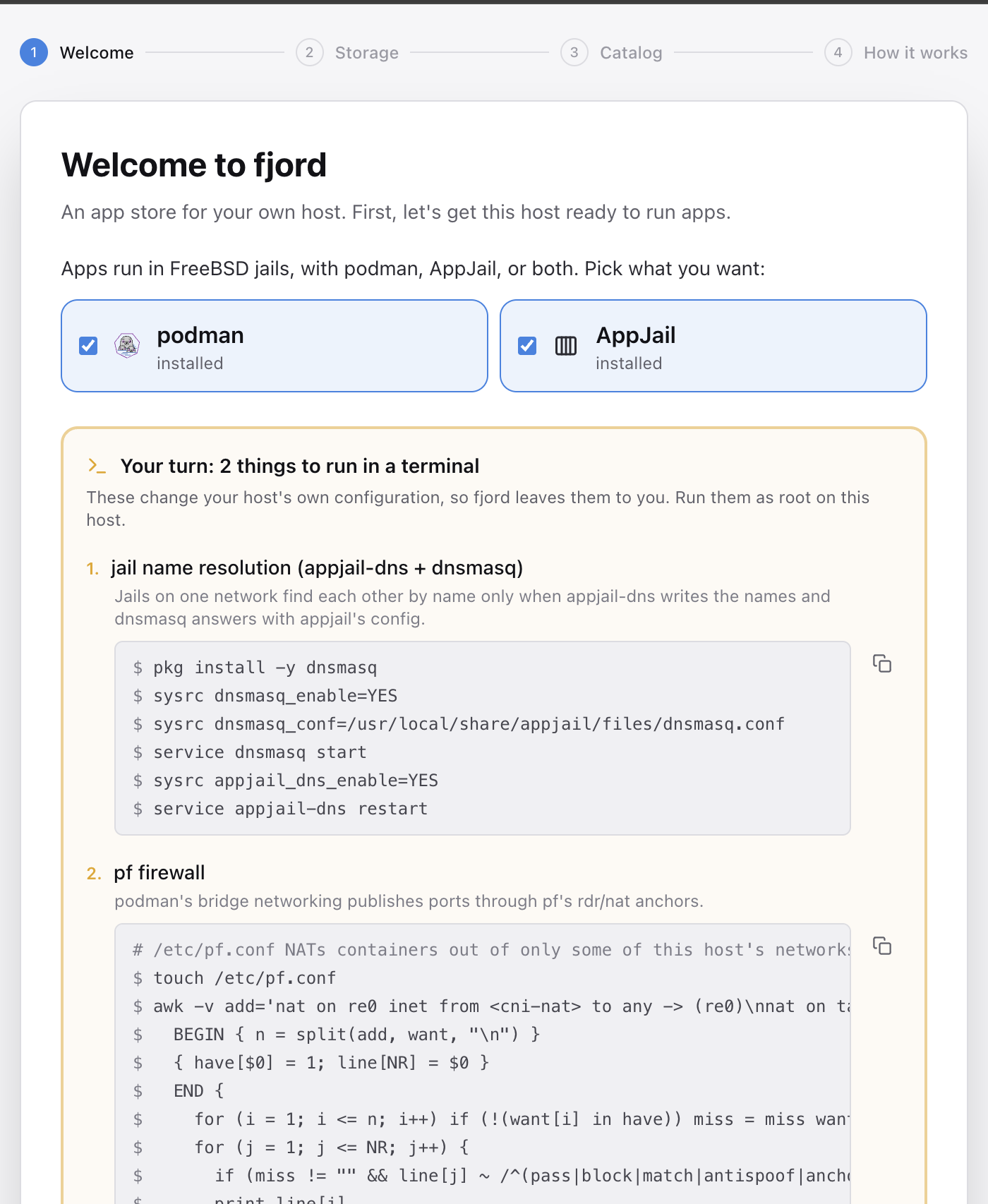
Libpod Socket & Service Health
Checks that /var/run/podman/podman.sock answers, on every visit and on Re-check — a dead socket is the usual reason the podman engine goes blind.
PF Firewall Redirection Anchors
Verifies that Packet Filter (PF) anchors (cni-rdr/ and appjail-nat/) are loaded in the kernel so container bridge port forwarding never hangs.
Supervision & OCI Jail Runtimes
Audits conmon (I/O monitor) and ocijail (0.6.0+), preventing umask privilege leaks into unprivileged jails.
One-Click Shell Remediation
Every audit provides copy-paste shell commands to immediately install missing utilities, enable rc services, or reload firewall rules.
Access Control & Network Security Notice
fjord manages host container runtimes as root and currently operates in local trusted mode without an integrated authentication barrier. Restrict port 3567 to a secure local network, or bind to loopback (FJORD_LISTEN=127.0.0.1:3567) and access the interface via an SSH tunnel, WireGuard, or Tailscale mesh.